


Номерограм – проверка авто
Авто Ассист
When I look at a used car, I want more than a clean body and a confident seller. I want a quick way to check whether the story around the vehicle makes sense. Номерограм – проверка авто is built for that first layer of research: I enter a VIN or a state registration number, then use the available report to look for signs connected with accidents, fines, and mileage. It is a free Auto & Vehicles app from Авто Ассист, aimed at a general audience rather than professional mechanics.
My first impression is that it works best as a practical screening tool, not as a final judge of a car. That distinction matters. A report can help me decide whether a vehicle deserves a closer inspection, but it cannot replace a lift, a diagnostic scanner, a test drive, or a careful conversation with the owner. Used properly, it can save time and help me ask sharper questions before I travel to see a car.
How the app feels to read and navigate
The central task is easy to understand: provide an identifying number and inspect the result. That focused purpose is one of the app’s strongest qualities. I do not have to work through a broad automotive dashboard before reaching the check itself. For someone who is nervous about buying a first car, that directness is reassuring.
The app has a short Russian name, Номерограм, and its focus is immediately tied to vehicle identification. I would still take a moment to check each character before submitting a VIN or registration number. A single mistyped symbol can lead to an incomplete or irrelevant search, and a person reading quickly on a small phone may not notice the mistake immediately.
In my experience, report-based apps are easiest to use when information is grouped by topic instead of presented as one dense block. Here, the useful way to approach a result is to separate the questions in my head: does the vehicle show accident-related history, are there fine-related issues, and does the mileage look consistent? That habit makes the report more useful than simply scanning for a reassuring headline.
Latest News

Uber Eats Under Pressure: What Happens When Delivery Goes Wrong

How QR & Barcode Scanner Adapts to Android and iOS Innovations

Why Waze Navigation & Live Traffic Is Your Essential Travel Companion

CapCut Mastery: Unleash Hidden Features for Pro-Level Editing

How OS Updates Enhance Roblox Adventures

Teacher Simulator: Exam Time Turns Quick Classroom Judgments into a Repetitive Loop
The app has a strong public track record in the Android store, with an average rating of 4.8 from around 266 thousand ratings and more than 10 million installs. Those figures suggest that the basic workflow has been understandable to a large audience. They do not mean every report will answer every question, so I would treat popularity as a reason to try the tool, not proof that its results are complete for every car.
Readability also depends on the context in which I use it. At home, with time to compare the report against an advertisement, I can examine details carefully. In a parking lot, with sunlight reflecting from the screen and a seller waiting, I am more likely to skim. My practical tip is to run the check before arranging a viewing whenever possible, then save or note the important findings so I am not trying to remember them under pressure.
Why a simple first check can be valuable
The most useful role for this app is filtering. Suppose I find a car advertised at an attractive price several hours away. Before arranging transport or taking time off work, I can enter the vehicle number and look for warning signs. If the result raises questions about an accident or mileage history, I may decide to ask for documents first instead of making the trip.
Gallery
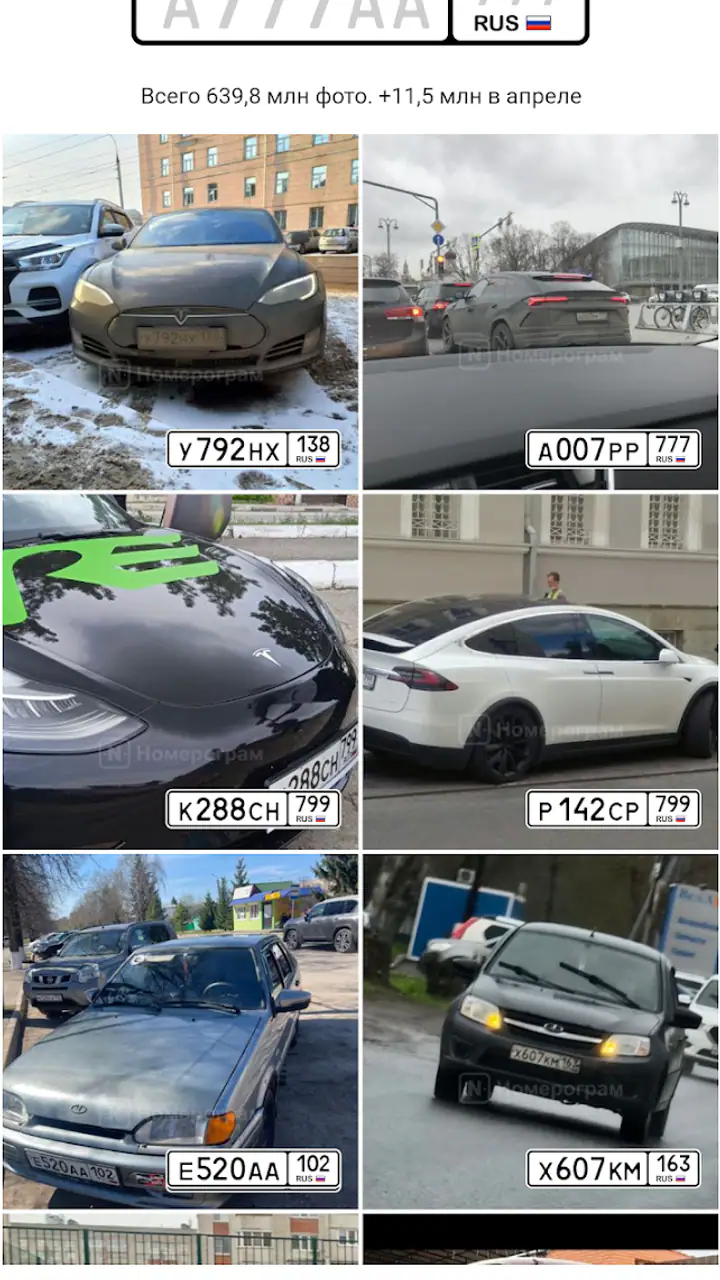
This is different from relying only on a seller’s description. Advertisements often emphasize equipment, appearance, and service claims, while a history check gives me another angle. I can compare the mileage shown in the report with the dashboard reading, service invoices, and inspection records. A mismatch does not automatically prove fraud, but it gives me a concrete question to ask.
The app is also useful when I am comparing several similar cars. Rather than choosing the first listing with the best photographs, I can use the same initial check on each candidate. That creates a more consistent shortlist. I still need to investigate the finalists, but the process becomes less dependent on instinct or presentation.
Using it across different abilities and situations
For people with limited vision, the main challenge is not the idea of the app but the amount of detail in a vehicle report. Small text, long identifiers, and dense result screens can demand sustained visual attention. I would use the phone’s built-in display enlargement or larger text settings where available, and I would avoid checking a report while walking or standing beside moving traffic. A larger screen can make comparing mileage and event details more comfortable than a compact phone.
People with color-vision differences should be cautious about treating color alone as the meaning of a warning. When reading any report, I would look for the actual wording and supporting details rather than relying only on red, green, or highlighted sections. That is a good general practice here because the important decision is based on the history described, not on a visual signal by itself.
For users with motor difficulties, entering a long VIN can be the most tiring part of the task. I would prepare the number in a note first, enlarge the input area through the phone’s accessibility settings if needed, and check the characters slowly before starting the search. If another person is helping, it is worth having them read the number aloud while I compare it with the vehicle documents. That small two-person workflow reduces avoidable typing errors.
State registration numbers may be quicker to enter, but I would not assume that one identifier is always interchangeable with another. If the car has changed registration, or if the seller supplies a number that does not match the vehicle documents, I would pause and resolve that discrepancy before trusting the result. The best report is still attached to the correct vehicle.
For users with hearing difficulties, the core task is naturally more visual than audio-dependent, which is helpful during a quiet, self-guided check. At the same time, the app cannot solve every communication problem around a purchase. If I need to question a seller about an accident record or mileage discrepancy, I may prefer written messages so the answers remain available for comparison later.
People with cognitive or attention-related difficulties may benefit from a fixed routine. I would check the identifier, read the report once without making a decision, list the points that need clarification, and only then compare the findings with the advertisement. This avoids an emotional reaction to one alarming line or one reassuring result. The app is most helpful when it supports a calm process rather than becoming the entire process.
When access depends on the situation
A vehicle check is often performed at an inconvenient moment: beside a road, in a crowded marketplace, or while traveling between appointments. Those conditions can make even a straightforward interface harder to use. Bright sunlight, gloves, rain, low battery, and poor concentration all affect the experience. I would run the check indoors before meeting the seller whenever I can, then use the phone at the viewing only to confirm details.
There is also a social side to access. A buyer who is not confident with technology may feel pressured if the seller is watching the screen. Preparing the report in advance gives me more control, especially if I need extra time to read. If I am buying on behalf of an older relative or someone who prefers not to use a smartphone, I can perform the initial search and discuss the findings with them in plain language rather than expecting them to navigate the app themselves.
For someone with limited data access or an unreliable connection, timing matters. I would not wait until I am standing at the seller’s address to discover that the check cannot be completed comfortably. Running it earlier also means I can investigate an unexpected result without the pressure of a live negotiation. The app is therefore more useful as a preparation tool than as a dramatic last-second reveal.
The age rating is Everyone, and the app is free to use. That combination makes it approachable for families, first-time buyers, and people who only need a vehicle check occasionally. Free access is especially useful when I am screening several listings and do not yet know which one deserves a paid inspection elsewhere. I would still keep the purpose in mind: free and convenient does not mean that every possible official or technical record is represented in one place.
What it can tell me, and what still needs checking
The app’s focus on accidents, fines, and mileage gives me three practical starting points. Accident history can change how I view a low price. Fine-related information can reveal an issue that deserves clarification before a transfer. Mileage history can help me test whether the seller’s description fits the vehicle’s documented past.
Those areas are valuable, but they are not the same as a mechanical inspection. A car may have no obvious history in a report and still have worn suspension, hidden corrosion, engine problems, or poor repairs. Conversely, an accident record does not automatically make a car unsafe; the severity, quality of repair, and current condition matter. I would use the report to decide what to inspect, not to skip inspection.
My preferred workflow is layered. First, I check the number in the app. Second, I compare the result with the advertisement, registration documents, service records, and the physical odometer. Third, I arrange an independent inspection for any car that remains promising. If the seller refuses to provide basic documents or avoids questions raised by the report, that behavior itself becomes part of my decision.
This is where the app compares well with the usual alternatives. Searching manually across unrelated websites can be slower and may require repeating the same vehicle details. Asking a seller for a verbal explanation gives me only one side of the story. A mechanic can provide deeper technical judgment, but paying for that service before eliminating obviously questionable listings is inefficient. Номерограм sits in the useful middle: quicker than a full inspection and more structured than casual questioning.
It is not the better choice when I already need a complete legal, financial, or mechanical assessment and have access to a trusted specialist. In that situation, the app can still be a preliminary check, but it should not delay professional verification. It is also a poor fit for anyone expecting a single screen to guarantee that a used car is safe or honestly represented. No history tool can remove the need for judgment.
Practical barriers worth planning around
The first barrier is data interpretation. A result can be technically accurate yet easy to misunderstand. An accident entry may lack the context I need to judge its seriousness, while a mileage event may raise suspicion without explaining why the figure changed. I would write down the exact issue and ask for evidence instead of making a final accusation based on one line.
The second barrier is identifier quality. VINs are long and visually repetitive, and registration numbers can be copied incorrectly from an advertisement. I would compare the submitted number with the vehicle itself and its documents, not just with a seller’s message. This is one of the most important habits because a polished report about the wrong identifier is worse than no report at all.
The third barrier is accessibility during a rushed viewing. A person with limited dexterity, low vision, or difficulty concentrating may need more time than the seller expects. I would never let that pressure force a decision. Checking at home, using a larger display, asking a trusted person to help read the result, or requesting written answers can make the process fairer and less stressful.
The app’s current version is 2.52.0 and it requires Android 8.0 or later. That makes device compatibility something I would check before depending on it during a purchase trip. On an older phone that cannot meet the requirement, a different research method may be necessary. This is a small practical detail, but it matters when the check is part of a time-sensitive appointment.
Another limitation is that the app is primarily a lookup tool, not a complete buying workspace. I would not expect it to replace my notes, document folder, inspection checklist, or negotiation plan. Its strength is concentrated at the beginning of the decision: it helps me decide which questions to ask and which cars deserve more attention.
My inclusive verdict
I recommend Номерограм – проверка авто to anyone who wants a quick first look at a used vehicle’s history before spending time or money on a viewing. Its free model, Everyone age rating, focused purpose, and broad adoption make it approachable. The developer, Авто Ассист, has kept the idea practical: start with a VIN or state number and use the result to investigate accidents, fines, and mileage.
I especially like it for buyers who need a repeatable screening routine. It can help a first-time buyer move beyond attractive photographs, help a busy person eliminate distant listings before traveling, and help a family member support someone who is less comfortable with car research. The most valuable benefit is not a dramatic verdict; it is having better questions before making a commitment.
My recommendation comes with a clear boundary. Do not treat a clean-looking result as a guarantee, and do not treat one historical entry as automatic proof that a car must be rejected. Check the identifier carefully, read the findings slowly, compare them with documents, and arrange an independent mechanical inspection when the vehicle remains a serious candidate.
The app is at its best as an accessible first filter, not as the final authority on a car. If I were advising a friend, I would tell them to install it before browsing seriously, run checks early rather than under seller pressure, and use every unexpected detail as a prompt for verification. That approach gives the tool a realistic role and makes its information much more useful in the real world.
FAQs for Номерограм – проверка авто
What is Номерограм – проверка авто used for?
Номерограм – проверка авто is a mobile app designed to help users verify vehicle information using license plate numbers. It provides details like the car's history, ownership, and possible legal issues. This can be particularly useful when purchasing a used vehicle, ensuring transparency and informed decision-making.
How accurate is the data provided by Номерограм – проверка авто?
The app sources its data from official databases and trusted partners, ensuring a high level of accuracy. However, it's important to note that while the app strives for precision, discrepancies can occasionally occur due to data entry errors or delayed updates. Users should verify critical information independently if possible.
Is Номерограм – проверка авто available for both Android and iOS?
Yes, Номерограм – проверка авто is available for download on both Android and iOS platforms. You can find it in the Google Play Store for Android devices and the Apple App Store for iOS devices. Ensure your device meets the minimum system requirements for optimal performance.
Does Номерограм – проверка авто require a subscription or payment?
The app offers a freemium model, meaning basic features are available for free. However, for more comprehensive reports and detailed information, a subscription or one-time payment might be required. This allows users to access enhanced data, which can be crucial for thorough vehicle checks.
How user-friendly is Номерограм – проверка авто?
Номерограм – проверка авто is designed with a user-friendly interface that prioritizes ease of use. Its intuitive layout allows users to quickly input license plate numbers and access information. The app also provides clear instructions and support, making it accessible even for those less tech-savvy.
Pros
- User-friendly interface for easy navigation.
- Comprehensive vehicle history reports.
- Accurate and up-to-date data.
- Fast processing of requests.
- Supports multiple languages.
Cons
- Limited features in free version.
- Occasional delays in data retrieval.
- Requires internet connection.
- Ads in free version can be intrusive.
- Some features locked behind paywall.


